GDBFrontend - An Easy, Flexible And Extensionable GUI Debugger
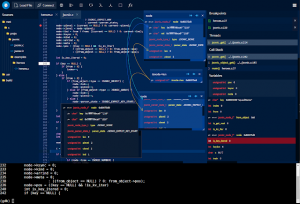
GDBFrontend is an easy, flexible and extensionable gui debugger.
Installing
Deb Package (Debian / Ubuntu / KDE Neon) You can install GDBFrontend via deb package for Debian-based distributions. You can install it from following commands:
After installing with APT, you will get updates for new releases on APT upgrade.
You can get upgrades with following commands:
and you can run it:
Running From GIT
You can download latest source and run it.
Requirements
and you can open it with:
Flatpak
Flatpak package is a TODO.
Options
Troubleshooting
Zombie Processes Sometimes GDB and gdb-frontend may not be closed correctly. In this case, you can terminate GDB-Frontend shell.
GDB-Related Issues and Tips
Issues about Windows-GDB
Documentation Documentation is TODO yet.
API Documentation API Documentation is TODO yet.
Plugin Development You can read the Plugin Development Tutorial.
Contributing You can contribute with commiting to project or developing a plugin. All commits are welcome.
Installing
Deb Package (Debian / Ubuntu / KDE Neon) You can install GDBFrontend via deb package for Debian-based distributions. You can install it from following commands:
echo "deb [trusted=yes] https://oguzhaneroglu.com/deb/ ./" | sudo tee -a /etc/apt/sources.list > /dev/null
sudo apt update
sudo apt install gdbfrontendsudo apt update
sudo apt upgrade gdbfrontendgdbfrontendRequirements
- GDB => 8.2 (with python3)
- python3
- tmux
git clone https://github.com/rohanrhu/gdb-frontend.git
cd gdb-frontend
./gdbfrontendhttp://127.0.0.1:5551/terminal/http://127.0.0.1:5551/tmux a -t gdb-frontend./gdbfrontend
$ gdbfrontend --help
GDB-Frontend is a easy, flexible and extensionable GUI Debugger.


Options:
  --help, -h:                           Shows this help message.
  --version, -v:                        Shows version.
  --gdb-executable=PATH, -g PATH:       Specifies GDB executable path (Default is "gdb" command on PATH environment variable.)
  --tmux-executable=PATH, -tmux PATH:   Specifies Tmux executable path (Default is "tmux" command on PATH environment variable.)
  --terminal-id=NAME, -t NAME:          Specifies tmux terminal identifier name (Default is "gdb-frontend".)
  --listen=IP, -l IP:                   Specifies listen address for HTTP and WS servers.
  --port=PORT, -p PORT:                 Specifies port range for three ports to (Gotty: PORT, HTTP: PORT+1, WS: PORT+2).
  --http-port=PORT:                     Specifies    HTTP server port.
  --server-port=PORT:                   Specifies WS server port.
  --gotty-port=PORT:                    Specifies Gotty server port.
  --readonly, -r:                       Makes code editor readonly. (Notice: This option is not related to security.)
--verbose, -V: Enables verbose output.--help, -h
Shows help text.--version, -v
Shows version.--gdb-executable=PATH, -g PATH
You can specify GDB executable path like gdbfrontend --gdb-executable=/path/to/gdb. (Optional)--tmux-executable=PATH, -tmux PATH
You can specify Tmux executable path like gdbfrontend --tmux-executable=/path/to/tmux. (Optional)--terminal-id=PATH, -t PATH
You can specify Tmux terminal id like gdbfrontend --terminal-id=terminal-name. (Default: gdb-frontend)--listen=IP, -l IP
Specifies listen address for HTTP and WS servers.--port=PORT, -p PORT
Specifies port range for three ports to (Gotty: PORT, HTTP: PORT+1, WS: PORT+2).--http-port=PORT
Specifies HTTP server port.--server-port=PORT
Specifies WS server port.--gotty-port=PORT
Specifies Gotty server port.--readonly, -r
Makes code editor readonly. (Notice: This option is not related to security.)--verbose, -v
Enables verbose output.Troubleshooting
Zombie Processes Sometimes GDB and gdb-frontend may not be closed correctly. In this case, you can terminate GDB-Frontend shell.
tmux kill-session -t gdb-frontend- GDB does not give sources of linked object until stepping a line that calls a function from the linked object once. You can add break point a line and step it once, then you will see sources from linked object hereafter during the session.
Issues about Windows-GDB
- GDB's main-thread is being blocked during running process. (gdb-frontend has an interrupting mechanism to fixing this but it is not enough yet.)
- Windows-GDB's prompt is being blocked during running process and there are some issues about interrupting the application.
- Current release of Windows-GDB contains Python2. New GDB 9 have Python3 but it is not released yet.
Documentation Documentation is TODO yet.
API Documentation API Documentation is TODO yet.
Plugin Development You can read the Plugin Development Tutorial.
Contributing You can contribute with commiting to project or developing a plugin. All commits are welcome.